All guide pages
Welcome to DesignerXStudio launcher & favouritesSaving & My DesignsTemplatesExporting & printingShortcuts & everyday toolsDesignChiselLithophaneKeychainClickerMesh BoxBeadsMore tools & pagesTroubleshooting & FAQLetter beads that spell a word, or charm beads from your own artwork, each with a thread hole across it.
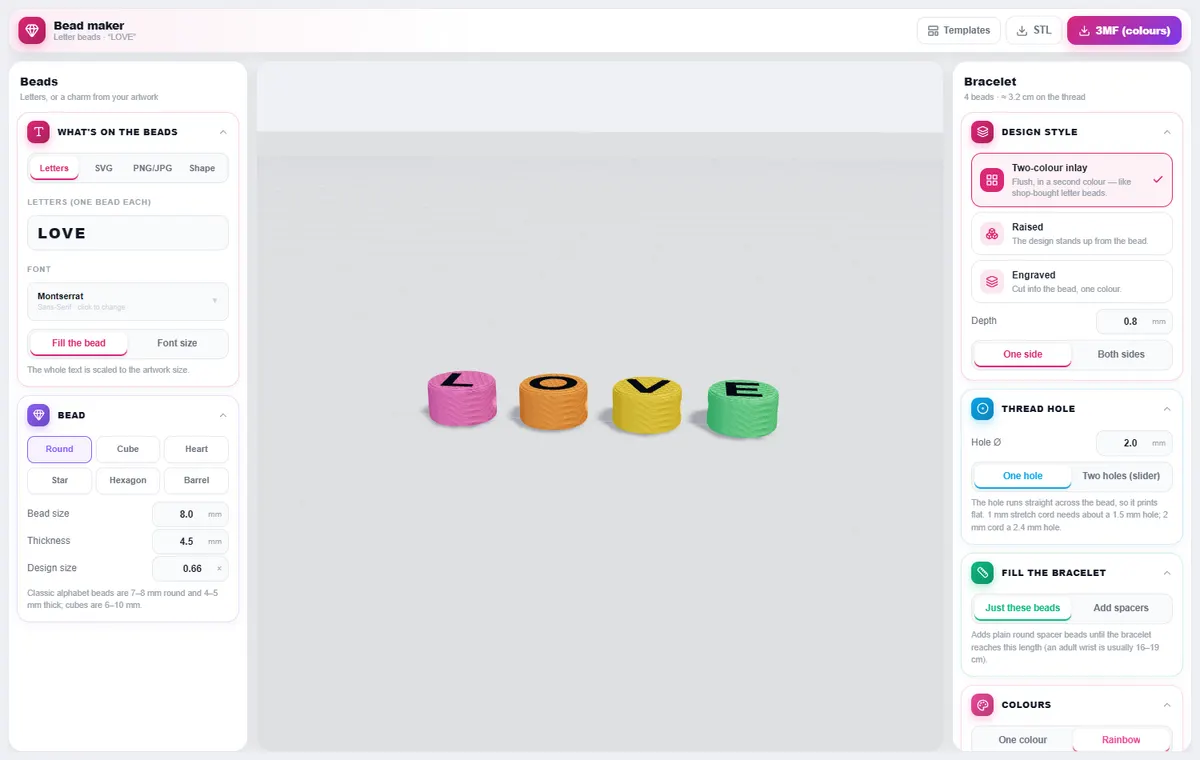
How to use it
- Choose what goes on the beads: Letters (one bead per letter), SVG, PNG/JPG or a Shape charm (and how many).
- Pick the bead shape — round, cube, heart, star, hexagon or barrel — and its size, thickness and design size.
- Choose the style: Two-colour inlay, Raised or Engraved, its depth, and one or both sides.
- Set the thread hole — one hole, or two holes for slider beads.
- Optionally fill the bracelet with spacer beads to reach your wrist length, choose colours, and export.
What you can do
Thread hole
The hole runs straight across the bead so it prints flat. 1 mm stretch cord needs about a 1.5 mm hole; 2 mm cord needs 2.4 mm.
Colours
One colour, or a rainbow across the beads; spacers have their own colour.
Bracelet length
The panel shows the length of your beads on the thread and adds spacers up to the length you set.
Tips
Classic alphabet beads are 7–8 mm round and 4–5 mm thick; cubes are 6–10 mm.
Print flat at 0.12 mm layers for crisp letters.
Looking for the overview? See Custom 3D Printed Letter Beads (Coming Soon).
Try it yourself
DesignerX is free to use in your browser. Create a free account to save your designs.