All guide pages
Welcome to DesignerXStudio launcher & favouritesSaving & My DesignsTemplatesExporting & printingShortcuts & everyday toolsDesignChiselLithophaneKeychainClickerMesh BoxBeadsMore tools & pagesTroubleshooting & FAQA thin, varying-thickness print: thin areas let more light through (bright), thick areas let less (dark), so the photo appears when lit from behind.
How to use it
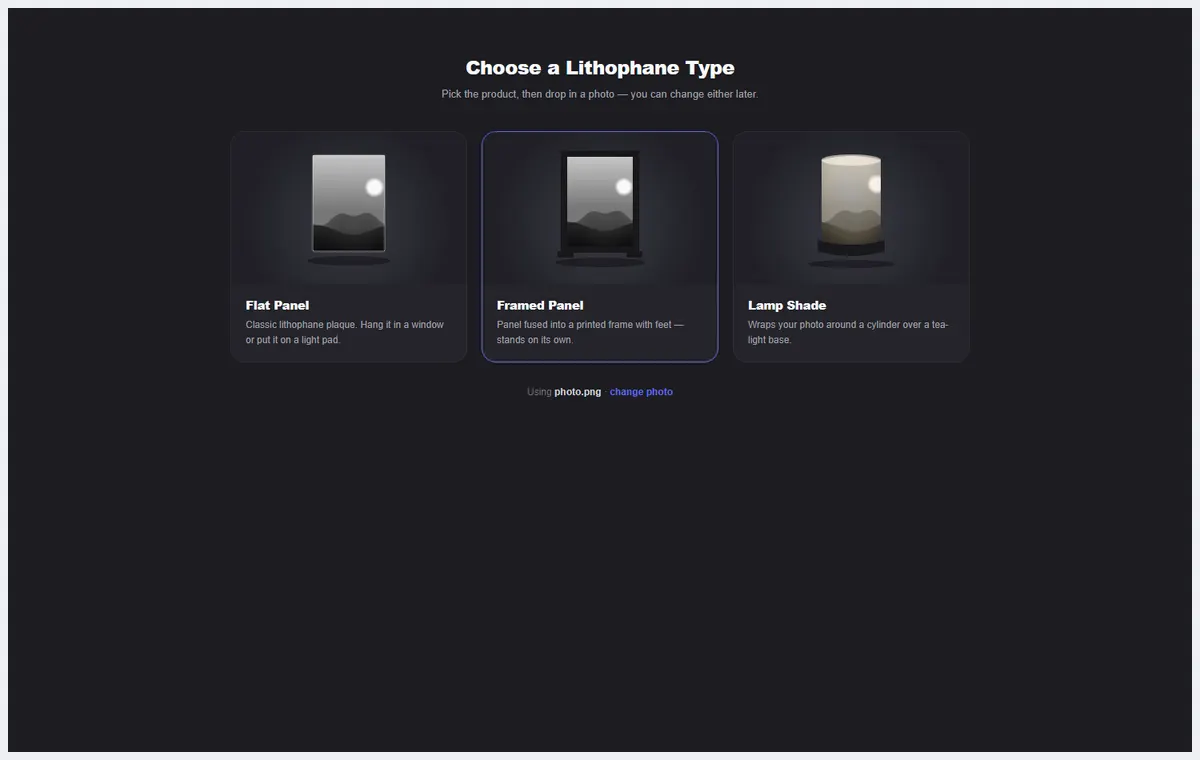
- Choose the type: Flat Panel, Framed Panel (printed frame with feet) or Lamp Shade (wraps round a cylinder over a tea-light base).
- Drop in a photo. Faces and high-contrast images work best.
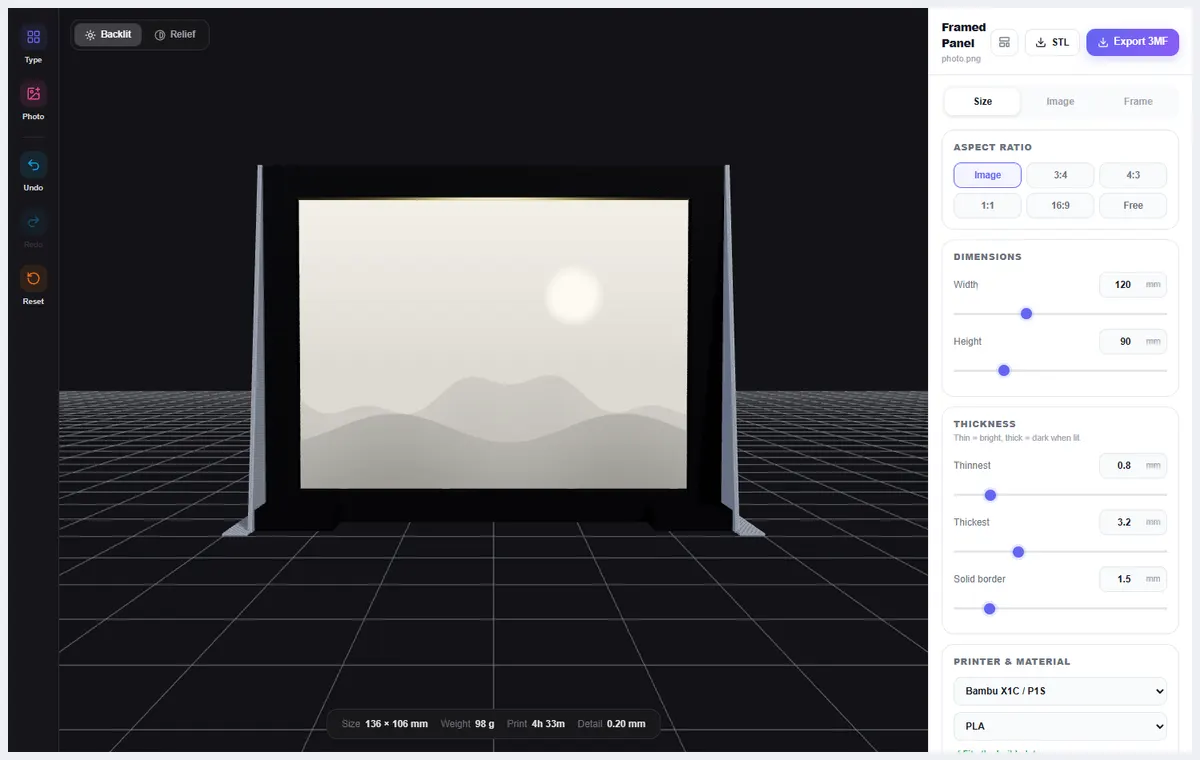
- On the Size tab set the aspect ratio, width and height, and the thinnest, thickest and solid border thickness.
- Use the Image tab to adjust brightness and contrast, and the Frame tab for the frame, supports and base.
- Switch between Backlit and Relief to see it lit or as a solid. Pick your printer and filament, then Export 3MF or STL.
What you can do
Three shapes
Flat panel, framed panel, or a cylindrical lamp shade with a base for a tea-light.
Shape outlines
Flat panels can be cut to shapes such as a heart or circle, with a cradle that holds them.
Live stats
Size, weight, print time and detail level are shown under the preview.
Printers
Choose your printer and material so the estimate matches your machine.
Tips
Print flat, in white or natural PLA, with a fine layer height (0.1–0.2 mm).
Thinner = brighter. Try a thinnest value around 0.8 mm and a thickest around 3.2 mm, then adjust to taste.
Looking for the overview? See Free Lithophane Maker: Photo to 3D Print.
Try it yourself
DesignerX is free to use in your browser. Create a free account to save your designs.