All guide pages
Welcome to DesignerXStudio launcher & favouritesSaving & My DesignsTemplatesExporting & printingShortcuts & everyday toolsDesignChiselLithophaneKeychainClickerMesh BoxBeadsMore tools & pagesTroubleshooting & FAQ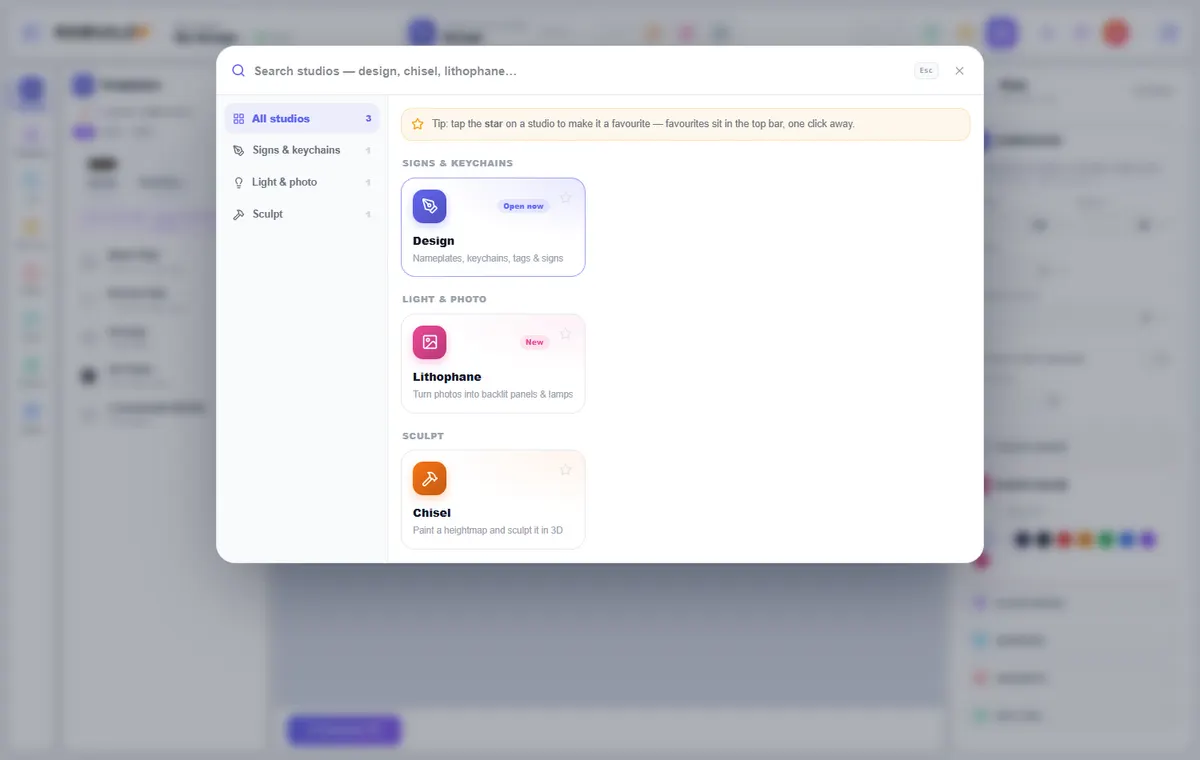
How to use it
- Press Ctrl/⌘ + K, or click the studio name in the top bar, to open the launcher.
- Type to search ("design", "chisel", "lithophane"…) or pick a category on the left.
- Click a studio to open it. If you have unsaved changes you are asked before leaving.
- Tap the star on a studio to make it a favourite. Favourites and your recent studios sit in the top bar for one-click access.
What you can do
Categories
Studios are grouped by what they make, so you can browse as well as search.
Badges
Open now marks the studio you are in, and New marks recent additions.
Your own pace
Each studio keeps its own work, so switching does not lose a design you have saved.
Try it yourself
DesignerX is free to use in your browser. Create a free account to save your designs.